





Meta Ads
Competitor Ads on Meta and Google: What the Libraries Hide, and How to Track Them Anyway
 Aravind Sundar · · 16 min read
If you run ads, you already know the Meta Ad Library and the Google Ads Transparency Center exist. What most guides skip is how much they leave out for US advertisers, and that's where competitor research quietly breaks.
We wrote this on Black Friday, the best day of the year to look. Every brand you compete with has its biggest offer live, and the ad libraries show you exactly when each one went up.
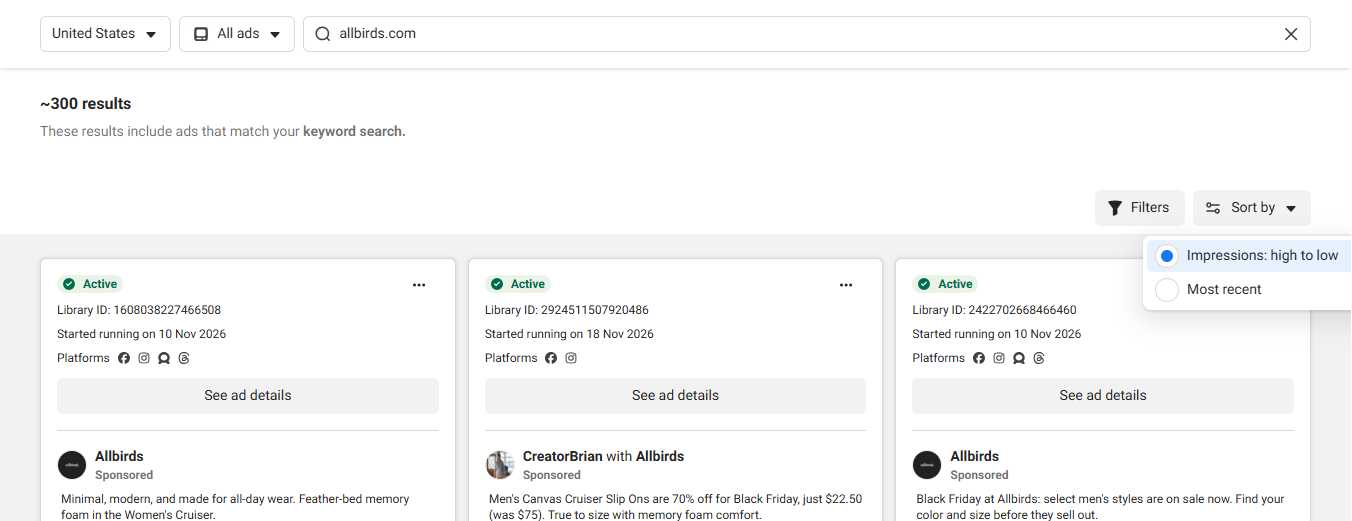
On November 27, 2026 we searched allbirds.com in Meta's library with the country set to the United States. About 300 active ads came back. Most of the Black Friday ones started running on November 10, more than two weeks before the day itself. That's the kind of thing you want to know in September, not the week of.
This guide covers the searches most people skip, what each library hides, why the usual automation recipes come back empty for US brands, and what a useful alert looks like. If you're new to the libraries, the step-by-step is in here too. It's written for growth teams at consumer apps and D2C brands.
What can you see in the Meta Ad Library and the Google Ads Transparency Center?
You can see the creative, the copy and when an ad ran. For regular ads shown in the US you can't see spend, reach, targeting or results. Here's how the two libraries compare, from Meta's Ad Library tools page, the Ads Transparency Center FAQ and our own searches on November 27, 2026.
Meta Ad Library | Google Ads Transparency Center | |
|---|---|---|
Where | ||
Login needed | No | No, except for age-restricted ads |
Search by | Advertiser name or keyword, including a website address | Advertiser name or website |
Which regular US ads it shows | Active ads only | Verified advertisers' ads, for one year after they last ran |
Where the ads ran | Facebook, Instagram, Messenger, Threads and Audience Network | Search, YouTube, Shopping, Maps and Google Play |
Date it shows | The day the ad started running | The day the ad last showed |
Filters | Language, advertiser, platform, media type, active status, date range | Date range, platform, format, region |
Spend, reach and targeting | Only for ads about social issues, elections or politics, plus extra detail for ads that reached the EU | Only for ads shown in Europe and Türkiye, and election ads |
How fast new ads appear | Not stated by Meta | 48 to 72 hours after an ad shows |
Alerts for new ads | None | None |
The row that trips people up is the fourth one. Several of the top guides say Meta's library shows active and inactive ads for any Page. For an ordinary US ad, that isn't true. Meta says anyone can search all active ads. Inactive ads only stay if they're about social issues, elections or politics (kept for seven years) or if they reached the EU (kept for one year after their last impression). When a US competitor switches an ad off, it's gone from the library.
Google works the other way round. It keeps a verified advertiser's ads for a year after they last ran, so you can look back at last year's holiday push. Two catches from Google's FAQ: new ads take 48 to 72 hours to show up, and Google is removing click-through to landing pages, so you'll see a static preview and need to visit the site yourself.
How do you see a competitor's ads on Facebook and Instagram?
Search their website, not just their brand name, in the Meta Ad Library with the country set to the United States. Then sort by impressions and read the dates.
Open the Meta Ad Library. Set the country to United States and the ad category to All ads.
Type the competitor's website, like brand.com, and run a keyword search. This is the step most guides skip. A website search returns ads that point to the site, including partnership ads that run from a creator's own account. When we searched allbirds.com, several results were labeled "[creator name] with Allbirds". Search the brand name alone and you can miss those.
Open Filters to narrow it down by advertiser, platform, media type, active status or date range.
Sort by Impressions: high to low. Meta doesn't show impression counts for US ads, but the list is still ordered by them, so the ads at the top are the ones Meta has shown most.
Read the start date on each ad. An ad that's been live for months is usually earning its budget. Shopify's guide to the library makes the same point: a long-running ad may be one that has proven effective.
Look for "This ad has multiple versions" or a note that several ads use the same creative and text. Lots of versions points to a test. The same creative across several ads usually means they're putting more money behind it.
Open the Branded content tab at the top of the library. It lists active posts with a paid partnership label, which is where a D2C brand's creator deals show up.
For an app, search the app's name and open the developer's Facebook Page. Install ads send people to the App Store or Google Play, so a website search won't find them.
Can you search the Meta Ad Library by website?
Yes. Type the domain into the search bar and run a keyword search. Because it's still a keyword search, you'll also get ads that only mention the address in their copy. Use the Advertiser filter to keep just the brand you're after.
How do you see a competitor's Google ads?
Search their website in the Google Ads Transparency Center, set the region to United States and filter by platform. You'll get the ads from every advertiser account that points to that site.
Open the Ads Transparency Center and set the region to United States.
Type the competitor's domain. Google groups every advertiser account with ads pointing there, and you can filter down to one. For allbirds.com it showed about 900 US ads.
Filter by date, platform (Search, YouTube, Shopping, Maps or Google Play) and format (text, image or video). App marketers should check Google Play on its own.
Open any ad to see when it last showed, its format and how many variations Google served.
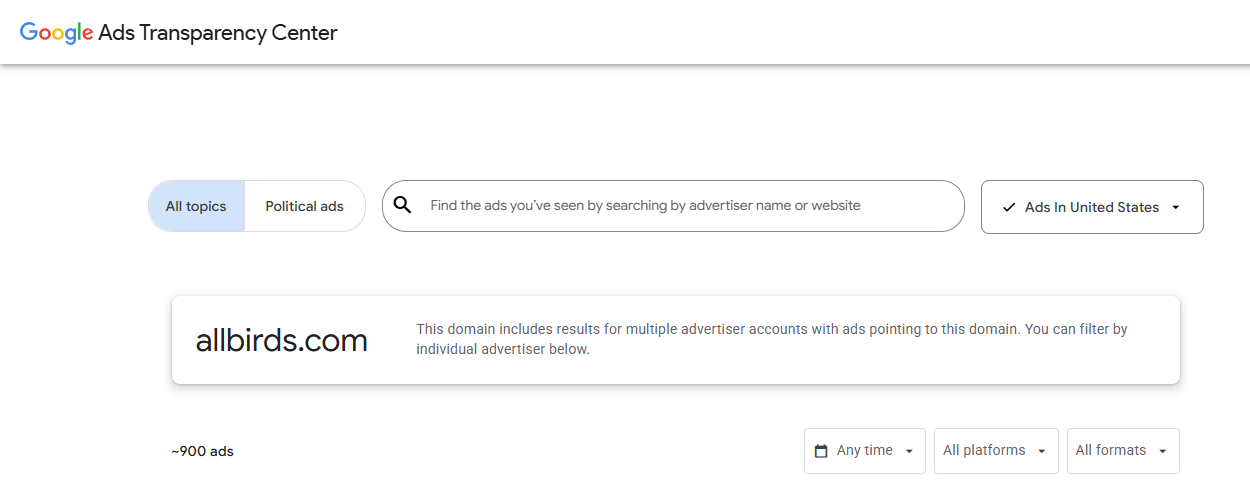
What you won't see: keywords, bids, budgets or results. An advertiser that hasn't finished Google's verification, or hasn't run an ad in the past 365 days, may not show up at all.
How do you see which competitors bid on your keywords?
Use two tools inside your own Google Ads account.
Auction insights shows the other advertisers in your auctions for Search, Shopping and Performance Max campaigns. For Search you get impression share, overlap rate, outranking share, position above rate, top of page rate and absolute top of page rate. It stays empty when your impression share is under 10% (Google Ads Help).
Ad preview and diagnosis shows the live results page for any search, location and device without adding impressions to your own ads (Google Ads Help). Use it instead of Googling your own keywords, which adds impressions with no clicks to your stats.
Why don't the free libraries scale?
They're built for looking things up, not for watching. Once you follow more than three or four competitors, the gaps start to cost you.
No follow button and no alerts. Neither library tells you when a competitor launches something. You have to go back and look.
Meta's US ads vanish when they stop. Check every Monday and a competitor's four-day test from Tuesday to Friday never shows up for you.
The official API skips US commercial ads. Meta's Ad Library API reference says ads that didn't reach any EU location only come back if they're about social issues, elections or politics. A US-only brand selling shoes or subscriptions isn't in it. Automation recipes built on that API, like the popular n8n template 11270, come back empty for those competitors.
Google is late and can't be clicked. Ads appear 48 to 72 hours after they run, and you can't open the landing page from the library.
Someone has to turn it into a decision. The work starts after the looking: 40 ads in, what will you test next week? Most teams take screenshots and stop there.
What are the ways to track competitor ads automatically?
There are five, from a weekly habit to an agent that posts new ads to Slack. The right one depends on how many competitors you watch and whether they only advertise in the US.
Option | What you get | Catches short tests? | Works for US-only competitors? | Best for |
|---|---|---|---|---|
A weekly check and a log | What's live on the day you look | No | Yes | Up to about five competitors and one owner who sticks to it |
A page-change watcher on the library URL | An email when the results page changes | Sometimes, with noise, because results reorder | Yes | One or two competitors you can't afford to miss |
A paid ad spy tool | A searchable archive with saved boards | Usually, because these tools store ads as they find them | Depends on the tool's coverage | Creative teams building a swipe file |
Your own workflow (n8n with the Meta API or a scraper) | New ads in a sheet or a Slack channel | Yes, if it runs daily | API route: no. Scraper route: yes, but you rely on a third-party scraper and need to check Meta's terms | Teams with someone to maintain it |
An AI agent in Slack | New ads with a read on the hook, angle and takeaway, where the team already talks | Yes, if it checks daily | Yes | Teams who want the answer, not the archive |
Our default is a weekly log until you watch more than five competitors or more than one platform, then automate. If you build your own, check whether your competitors advertise in the EU before you rely on Meta's API. For Google, n8n also has a community template that runs a third-party Transparency Center scraper daily and posts new ads to Slack.
What should a competitor ad alert include?
Only what's new, grouped by competitor, with a read on why it matters. This is the shape of the daily Moves post Grayn sends to Slack.
MOVES · Watch: [the competitors you track]
[N] new ads · [N] advertisers · [date and time][Competitor] · Meta · [N] new ads
Video · [angle] · [who it targets] · [production style]
Hook: what the first line or first few seconds do
Angle: the reason to buy that it leads with
Format: how it's made (UGC, motion graphics, static, carousel)
Takeaway: what it means for your next test[Open ad] [What's changed?] [Pulse] [Find gaps vs us] [Save to board]
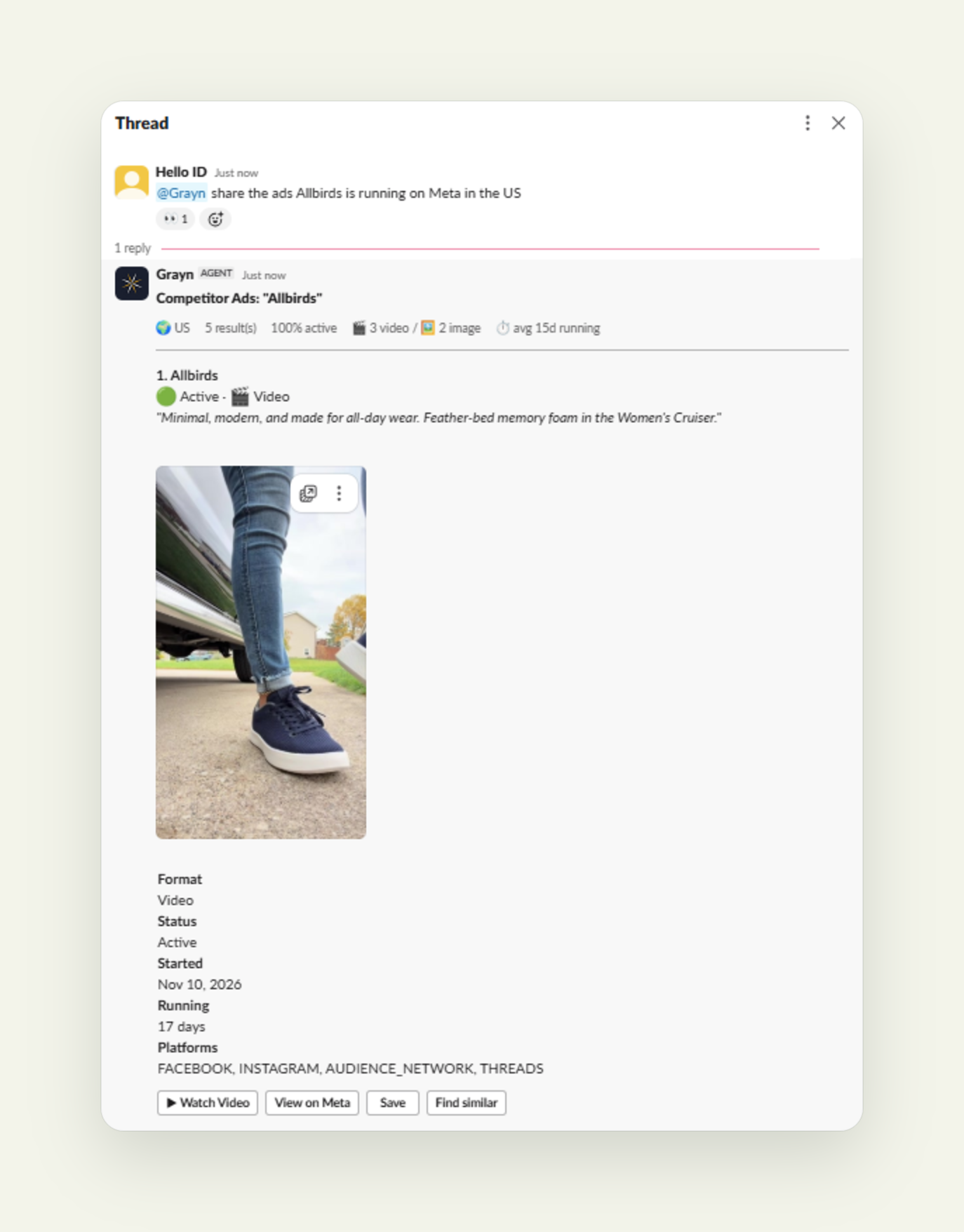
A few choices make it worth opening. Anything launched in the last 72 hours always makes the post, since new ads are where the new thinking is. New ads come grouped in one message per check, so the channel doesn't fill up with a ping per ad. And every ad links to the original, so anyone in the thread can judge it for themselves.
You can also ask in the thread. "Show me [competitor]'s ads in the US" brings back how many ads are live, the split between video and image, how long they've run on average, and each ad's start date and platforms.
What should you do when a competitor launches something new?
Turn it into one test of your own. Copying the ad rarely works, because their audience, offer and account history aren't yours.
Read the hook and the offer. What does the first line or the first three seconds promise, and what's the deal?
Check the age and the versions. A week-old ad with one version is a test. A two-month-old ad with five versions is probably working.
Compare it with your own best ads. If they're leading with an angle you've never tried, that's your test. If your account already proved or killed that angle, skip it.
Write the test down before anyone starts designing: the angle, the format, the metric and the date you'll judge it.
Watch your own numbers that week. A competitor's big launch can push up what you pay for the same audience and wear your ads out faster, so keep an eye on creative fatigue.
D2C example. Almost every Allbirds Black Friday headline we saw on Meta carried a number, either a price like "Slides $16.50 (Was $55)" or a discount like "Kiwi Clogs, 40% Off", and they run both forms side by side. If your sale ads lead with a line like "Our biggest sale of the year", a number-first headline is a cheap test. If you only use one form, test the other.
App example. If a competing app starts running creator videos built around its free trial, test a trial-led hook against your current opener, and judge it on cost per trial, not click-through rate.
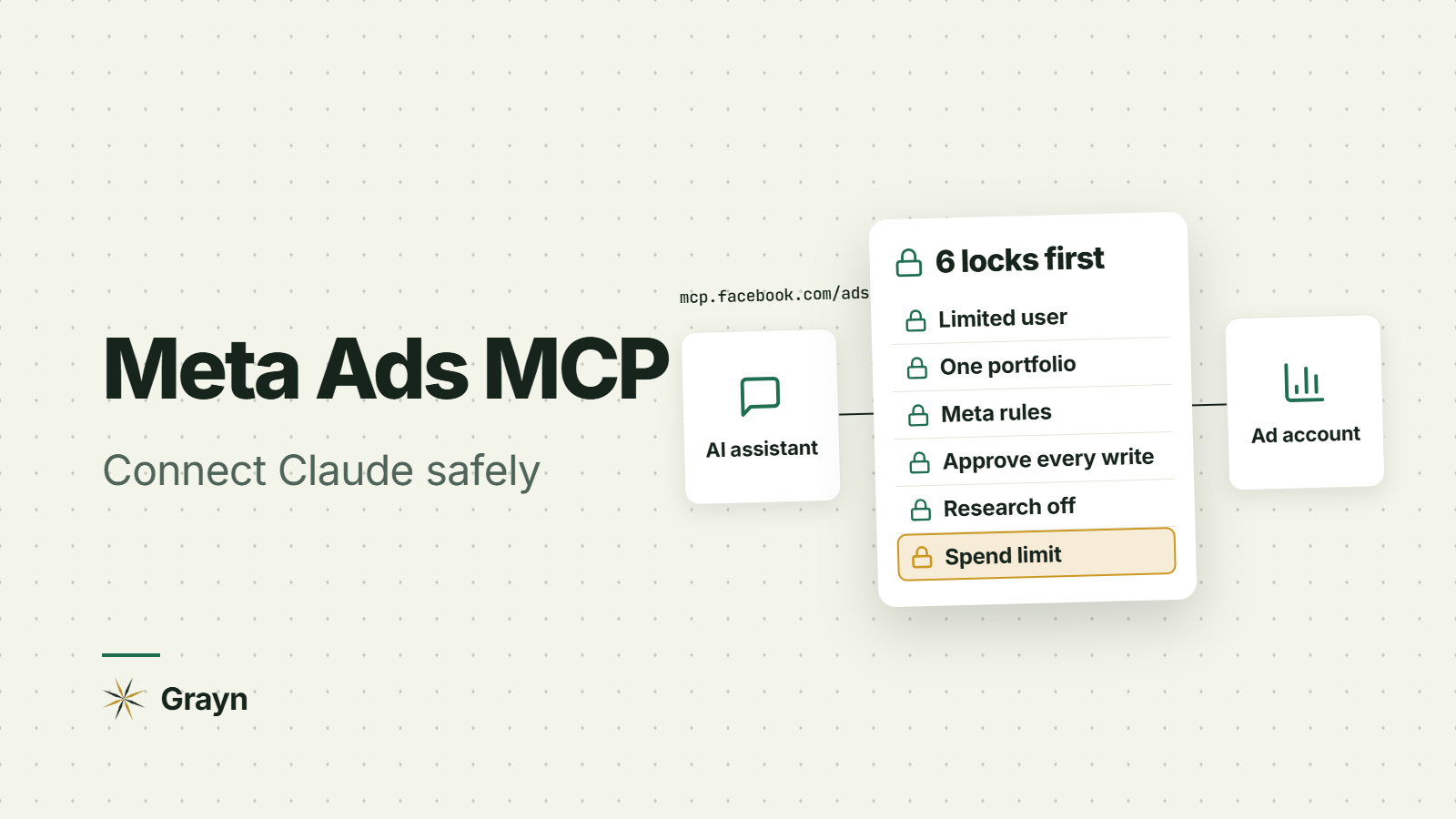
One safety note. If you paste competitor ad copy into an AI assistant that can change your ad account, keep that chat read-only. Text from outside sources can carry hidden instructions that steer what the assistant does next. Our Meta Ads MCP guide explains prompt injection and what to lock down.
How often should you check competitor ads?
Weekly for most teams, and daily in the weeks around big launches. Start with three to five direct competitors and two or three category leaders.
D2C brands should go daily from late October to Cyber Monday, when offers change fast. Allbirds had its Black Friday ads live by November 10. Apps in categories that spike with New Year's resolutions, like fitness, language learning and budgeting, should go daily from late December through January. The rest of the year, check weekly on the same day so you compare like with like, and always look at anything launched in the last 72 hours.
Search your own brand while you're there
Put your own brand name and website into the Meta library once a week. If you find ads using your name that you didn't run, report them. Meta's Brand Rights Protection tool lets enrolled brands report counterfeits, trademark and copyright misuse, scams and impersonation. You need a registered trademark to apply.
What should a competitor ad log track?
If you're doing it by hand, keep one row per new ad. Copy these columns into a sheet:
Date seen | Competitor | Platform | Format | Hook | Offer | Started running | Versions | What we'll test |
|---|---|---|---|---|---|---|---|---|
[date] | [brand] | Meta (Facebook, Instagram) | Video, 22 seconds | "[first line or first three seconds]" | [price or deal] | [start date from the library] | [1, or how many] | [one test, with the metric] |
Add a column for "still live?" and update it each week. For US ads on Meta, the day an ad disappears is the closest you'll get to an end date.
Where Grayn fits
Grayn is a proactive AI for consumer marketing teams that lives in Slack. For competitor ads, it does the watching so nobody has to remember to.
Pick the competitors. Grayn tracks the advertisers you choose in the Meta Ad Library and posts in Slack when they launch something new.
A daily Moves post. New ads arrive grouped by competitor, each with its hook, angle, format and takeaway, and anything from the last 72 hours is always included.
Ask in the thread. "Show me [competitor]'s ads in the US" brings back what's live, how long each ad has run and the mix of video and image.
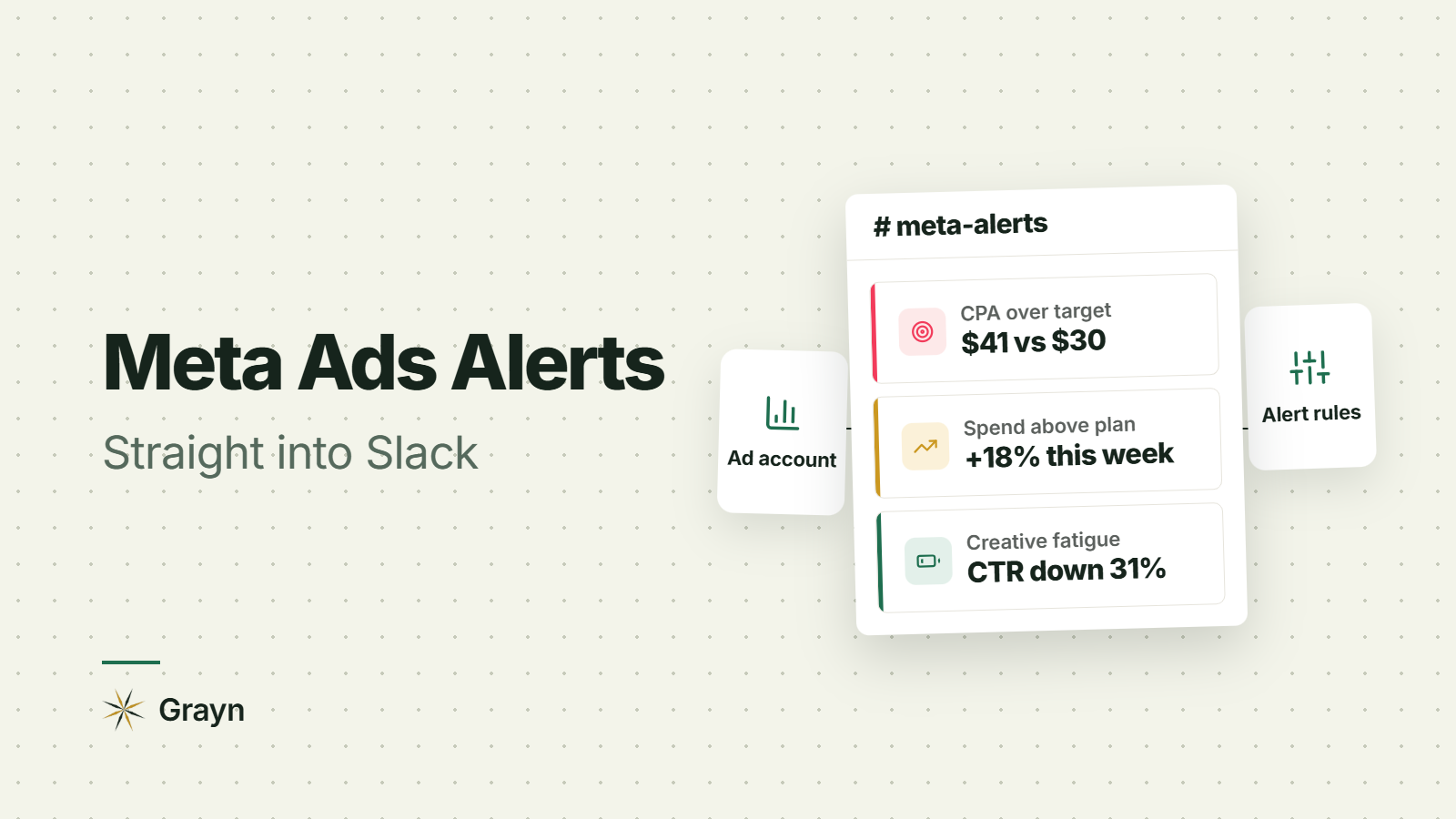
Next to your own numbers. The same Slack gets your Meta Ads reports, creative fatigue alerts and spend alerts, so a competitor's launch and a jump in your own costs land in one place. Our guide to Meta Ads alerts covers the rest.
Checking the libraries yourself | Grayn | |
|---|---|---|
How you hear about new ads | You go back and look | A Moves post in Slack every day |
Short tests | Missed if they start and stop between checks | Caught by the daily check unless they run for less than a day |
US-only competitors | Yes, on the website | Yes |
What each ad means | You write it up | Hook, angle, format and takeaway on every ad |
Who sees it | Whoever looked | The whole channel |
It's the same line we draw in what to let an AI agent do on its own: reading and reporting can run without anyone watching, and the decisions stay with your team. See competitor ad alerts in Slack on our Meta Ads page.
Start free with $200 in credits. No credit card needed.
FAQ
How do I see what ads my competitors are running?
Search their website in the Meta Ad Library for Facebook and Instagram, and in the Google Ads Transparency Center for Search, YouTube and Google Play. Both are free and you don't need to log in.
Can I see how much a competitor spends on Facebook ads?
Not for regular US ads. Meta shows spend only for ads about social issues, elections or politics. Ads that reached the EU come with extra detail.
Why did a competitor's ad disappear from the Meta Ad Library?
It stopped running. Meta only keeps inactive ads if they were about social issues, elections or politics, or if they reached the EU. Every other ad drops out of the library once it's switched off.
Can I see a competitor's Google Ads keywords?
Not in the Ads Transparency Center. Auction insights in your own Google Ads account shows which advertisers compete in your auctions. Third-party SEO tools estimate a competitor's paid keywords, but those are estimates.
Can I get an alert when a competitor launches a new ad?
Not from Meta or Google. You can use a page watcher, a paid tool, a workflow you build yourself, or an agent like Grayn that posts new Meta ads to Slack.
Is it OK to look at competitors' ads?
Yes. Meta and Google publish these libraries so anyone can see who's advertising and what they're running. Copying someone's creative or trademarks is a different matter, so treat what you find as input for your own ideas.
What about TikTok and LinkedIn ads?
TikTok's Ad Library only covers ads targeted to the EEA, Switzerland and the UK, so US-only ads aren't in it (TikTok). Its Creative Center Top Ads shows only the ads advertisers chose to share (TikTok Ads Help). LinkedIn's Ad Library covers ads from June 1, 2023, kept for a year after they last ran, with run dates and targeting only for EU ads (LinkedIn Help).
How many competitors should I track?
Three to five direct competitors plus two or three category leaders. That's enough to spot patterns without drowning in screenshots.