







Meta Ads
Meta Creative Fatigue: How to Spot It Before CPA Climbs
 Aravind Sundar · · 12 min read
Most advertisers find out about creative fatigue the expensive way. CPA has been creeping up for ten days, someone finally opens Ads Manager, and the ad that carried the account last month is now the most expensive thing in it.
Meta does have a warning for this. It just shows up late, and for a lot of accounts it never shows up at all. So this post is about catching fatigue a week or two earlier, from signals you can already see, and about what to do once you've caught it.
What is creative fatigue?
Creative fatigue is the drop in response that happens when the same people keep seeing the same image or video. Clicks fall first, then conversions, and cost per result climbs.
The detail most guides skip: it's the creative that wears out, not the ad. Meta's own analytics team defines creative fatigue around the visual elements of an ad, because two ads with the same video feel like one ad to the person scrolling. Run your best UGC video in a prospecting campaign, a retargeting campaign and an Advantage+ campaign, and the people who see all three are tiring of it three times as fast. Meta's help page on creative fatigue says the same thing from the other side: it counts recent exposures of the image or video across all your campaigns from the same Page.
That changes how you should track it. One concept, one row, however many ad sets it lives in.
How does Meta flag creative fatigue in Ads Manager?
In the Delivery column, with two statuses. Both compare the ad's cost per result with ads you ran in the past:
Status in the Delivery column | When Meta shows it |
|---|---|
Creative limited | Cost per result is higher than your past ads, but less than double |
Creative fatigue | Cost per result is double your past ads, or more |
Meta can also warn you before you publish, if it predicts fatigue in a campaign's first seven days. (Jon Loomer's breakdown is a good read on how these statuses behave in practice.)
Two problems with relying on it.
It fires after the damage. By the time cost per result has doubled, you've already paid for the slide. "Creative limited" is earlier, but it still means you're paying more than you used to.
Most accounts never see it. Meta says the feature is only available for ad sets with one creative, and it excludes Advantage+ catalog ads, dynamic creative and Advantage+ app campaigns. If you run several ads per ad set, which most teams do, there's no label coming. If you're a subscription app putting most of your Meta budget into Advantage+ app campaigns, the same. You need your own rule.
Why frequency is the wrong number to watch
Almost every creative fatigue guide tells you to watch frequency and act somewhere around 3. Meta's analytics team argues against it in the same study, for two reasons.
The first is level. Frequency is reported per ad, ad set or campaign. Fatigue happens per creative. If the same video runs in four ad sets, each one can show a calm frequency of 2 while the people seeing all four are well past that.
The second is that frequency is an average over the whole period, and fatigue happens at the margin. Meta's example: 100,000 people see an ad once on day one, 50,000 of them see it twice more on day two, and 25,000 of those see it four more times on day three. Frequency over the three days is 3. The people you're paying to reach on day three have each seen it seven times.
The same study kills a popular belief. For direct response goals like clicks and conversions, the team found no evidence of "wear-in", the idea that an ad needs a few views before it starts working. Every repeat view of the same creative was less effective than the one before.
So read frequency next to the creative's own results. Never on its own.
How fast does a creative wear out?
Meta's analysts modeled how the chance of a click falls as one person sees the same creative again. The curve follows (N+1) to the power of -0.43, where N is how many times they've already seen it. Here's what that works out to:
Times this person has seen the creative | Chance of a click vs the first view |
|---|---|
1st | 100% |
2nd | 74% |
3rd | 62% |
4th | 55% |
5th | 50% |
6th | 46% |
8th | 41% |
Repeat viewing is normal, not an edge case. Across all Meta ad impressions, the average was 4.2 earlier exposures to the same creative over a 30-day window, and more than 19% of impressions went to people who'd seen it more than five times.
The good news is in the same study. In a test across roughly 26,000 cases, adding new creative to fatigued ad sets lifted conversion rate, and the more fatigued the ad set, the bigger the lift. For high-fatigue cases, the team puts the average gain at about 8%. Fatigue is fixable. The fix is new creative.
What are the signs of creative fatigue?
Fatigue shows up in a fairly predictable order. The early signs are about attention, the late ones are about money:
Hook rate falls on video. That's 3-second video plays divided by impressions. The opening frame is the first thing people stop noticing.
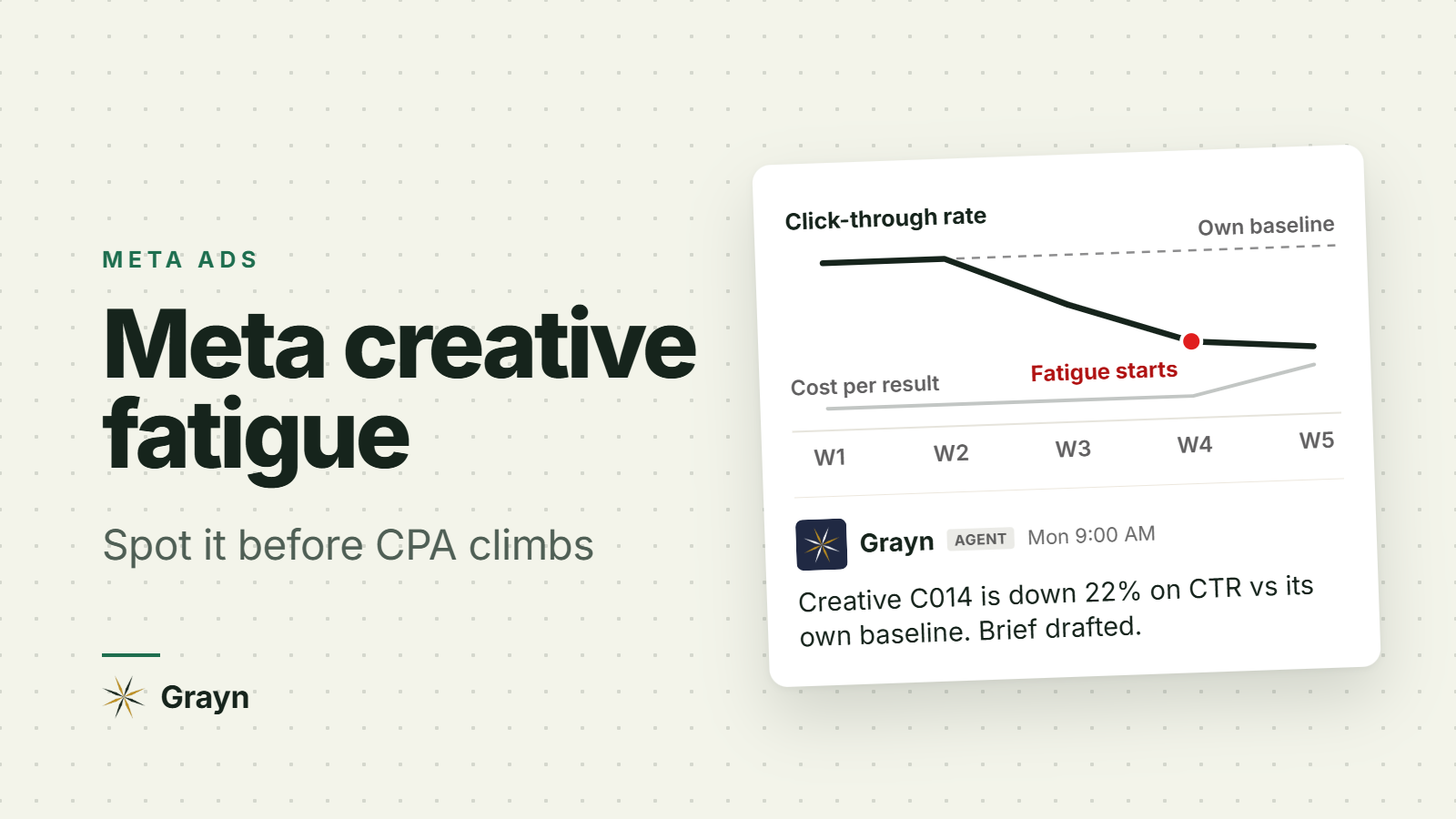
Link click-through rate falls against the creative's own early weeks.
Its share of spend shrinks. In an ad set with several ads, Meta quietly moves delivery to the others before costs blow up. In Advantage+ campaigns this is often the clearest sign you'll get.
CPM rises on that creative while your other ads hold.
Cost per result climbs. This is where most teams notice, and it's the last sign, not the first.
The comparison that matters is the creative against itself. Use its first stable week, the week after it left the learning phase, as the baseline. Not day one, and not your account average.
Some things look like fatigue and aren't:
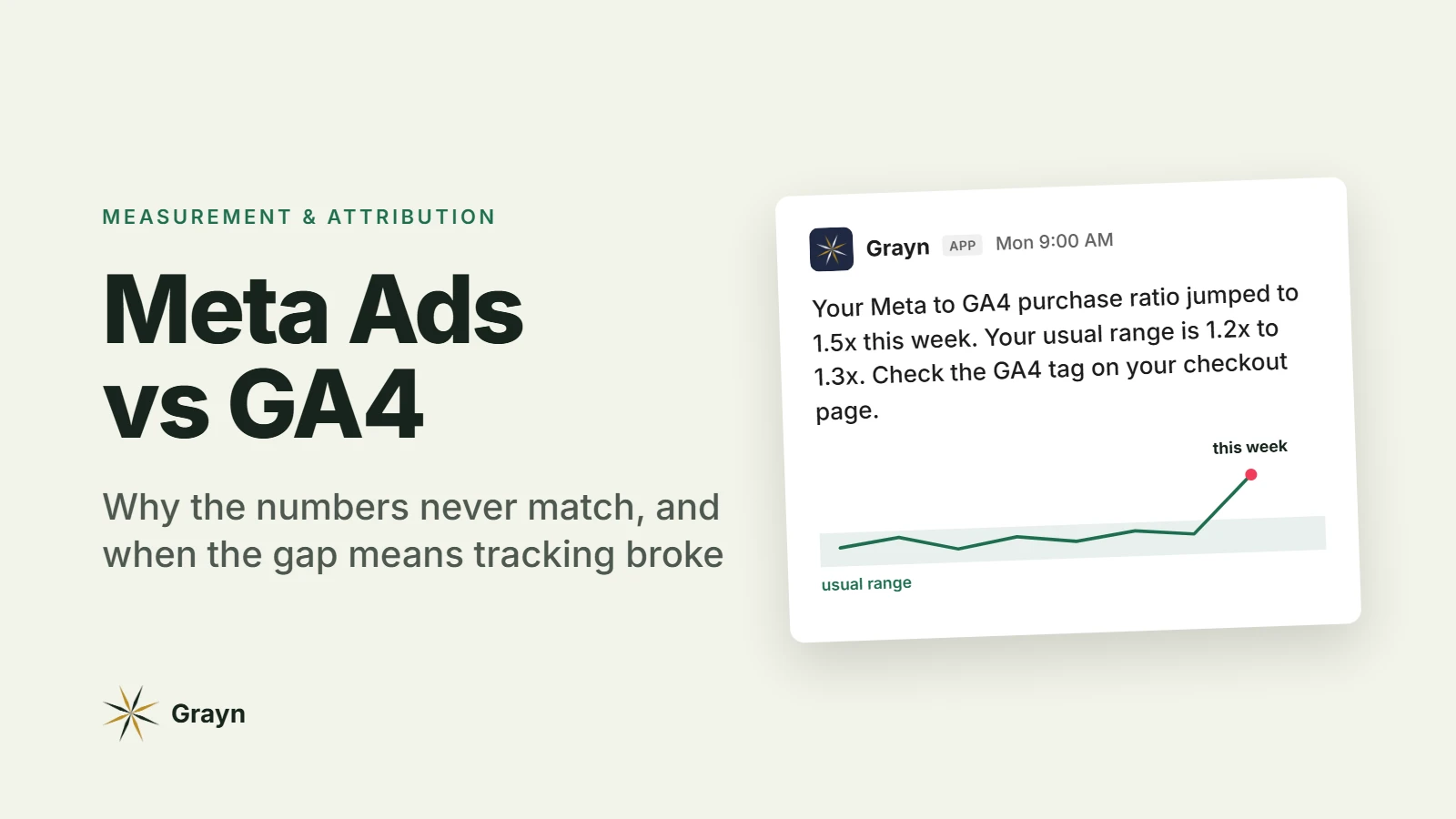
Everything dropped on the same day, across campaigns. Ads don't all get tired at once. That's usually tracking. Check whether your Meta to GA4 ratio jumped, the way we lay out in why Meta Ads and GA4 never match.
Every ad in one ad set is sliding together. That's the audience running out, not one creative. Meta's first-time impression ratio, the share of daily impressions going to people seeing the ad set for the first time, will be falling too.
Costs jumped right after an edit. Adding an ad, changing targeting or a big budget jump can put the ad set back into learning. Give it a week before you judge the creative.
How to catch creative fatigue before CPA climbs
A 15-minute check, once a week, on the same day.
First, name your ads so you can group them. Put a concept ID at the start of every ad name, for example C014_price-hook_ugc-sarah. When the same video runs in five ad sets, searching C014 in Ads Manager pulls up all five, and you can add them up as one creative. This is the step that makes everything else work.
Then, at the ad level, add these columns: amount spent, impressions, link CTR, CPM, cost per result, and 3-second video plays for video. Compare the last 7 days with each concept's first stable week.
Then sort each concept into one of these rows. The 20% line is our starting point, not a Meta rule. Tighten or loosen it once you've seen a few weeks of your own account.
What you see on the concept | What it likely means | What to do |
|---|---|---|
CTR and hook rate within 20% of baseline, spend share steady | Fine | Leave it alone. Every edit risks restarting learning |
CTR or hook rate down 20% or more for 7 days, other concepts holding | Fatigue has started | Brief the replacement now |
Same, and its share of spend is shrinking | Meta is already moving away from it | Launch the replacement in this week's batch |
Cost per result up 2x or more | Meta's own fatigue line | Move budget to newer concepts. Keep it live while it still converts |
Every concept in the ad set down, first-time impression ratio falling | Audience, not creative | Broaden the audience |
Everything down on the same day | Tracking or a site change | Fix measurement before you touch creative |
If you want Ads Manager to nag you, an automated rule set to "send notification only" can flag active ads whose cost per result over the last 7 days goes above a level you choose. It's a decent backstop. It won't compare a creative with its own earlier weeks, so it still fires later than the check above.
If you run app campaigns
App teams have it harder. On iOS, a lot of install measurement runs through Apple's SKAdNetwork, and the first postback covers days 0 to 2 after install and then arrives on a random 24 to 48 hour delay. Later postbacks can take up to six days (Adjust explains the windows). By the time cost per trial confirms fatigue, the creative has been tired for days.
So for app campaigns, lean on the fast signals: hook rate, CTR, spend share and cost per install. Then judge the replacement on what pays. A fresh concept that brings cheap installs who never start a trial isn't a fix, so check trial-to-paid in RevenueCat before you call it a winner.
How to solve creative fatigue
Make the new ad materially different. That's Meta's own word for it. A new background color or a trimmed intro still reads as the same ad to someone who's seen it six times. Change something a person would notice in the first second: the hook, the angle, the format (static to video, polished to UGC) or the person on screen. Meta's retrieval system, Andromeda, narrows tens of millions of ads to a few thousand for each person, so near-duplicates mostly end up competing with each other instead of reaching anyone new.
Keep the original running while the new one ramps. Meta's fatigue guidance says leaving the original active, rather than pausing it, may get better results. A tired ad can still convert for the part of the audience that hasn't seen it much. Let delivery shift spend to the new concept, then pause the old one once it stops pulling its weight.
Launch in batches. Meta lists adding a new ad to an ad set as a significant edit, which can restart learning. Dripping in one ad every other day risks keeping the ad set in learning. Pick a day, ship that week's concepts together.
Plan for volume, because most new ads won't win. Of the 578,750 Meta ads in Motion's 2026 creative benchmarks, about 5% became winners, meaning they spent at least 10 times their account's median ad (reported by Net Influencer). If you need three winners live and each lasts about a month in your account, the math says you need a steady stream of new concepts every week, not a refresh when things break.
Widen the audience if the whole ad set is tired. New creative fixes a tired creative. It doesn't fix an audience that's run out of new people.
Where an AI agent fits
Spotting fatigue is mechanical. Compare each creative against its own baseline every day, across every ad set, and flag the slide. That's exactly the kind of watching an agent does well, and people do badly on a Friday afternoon.
Picking the next concept isn't mechanical. It depends on what your audience cares about this month, what the product team is shipping and what's already in production. That's why, in our breakdown of what to automate with AI agents for paid ads, creative fatigue sits at "alert with a drafted brief": the agent finds it and drafts the brief, and a person decides what gets made.
How Grayn flags creative fatigue
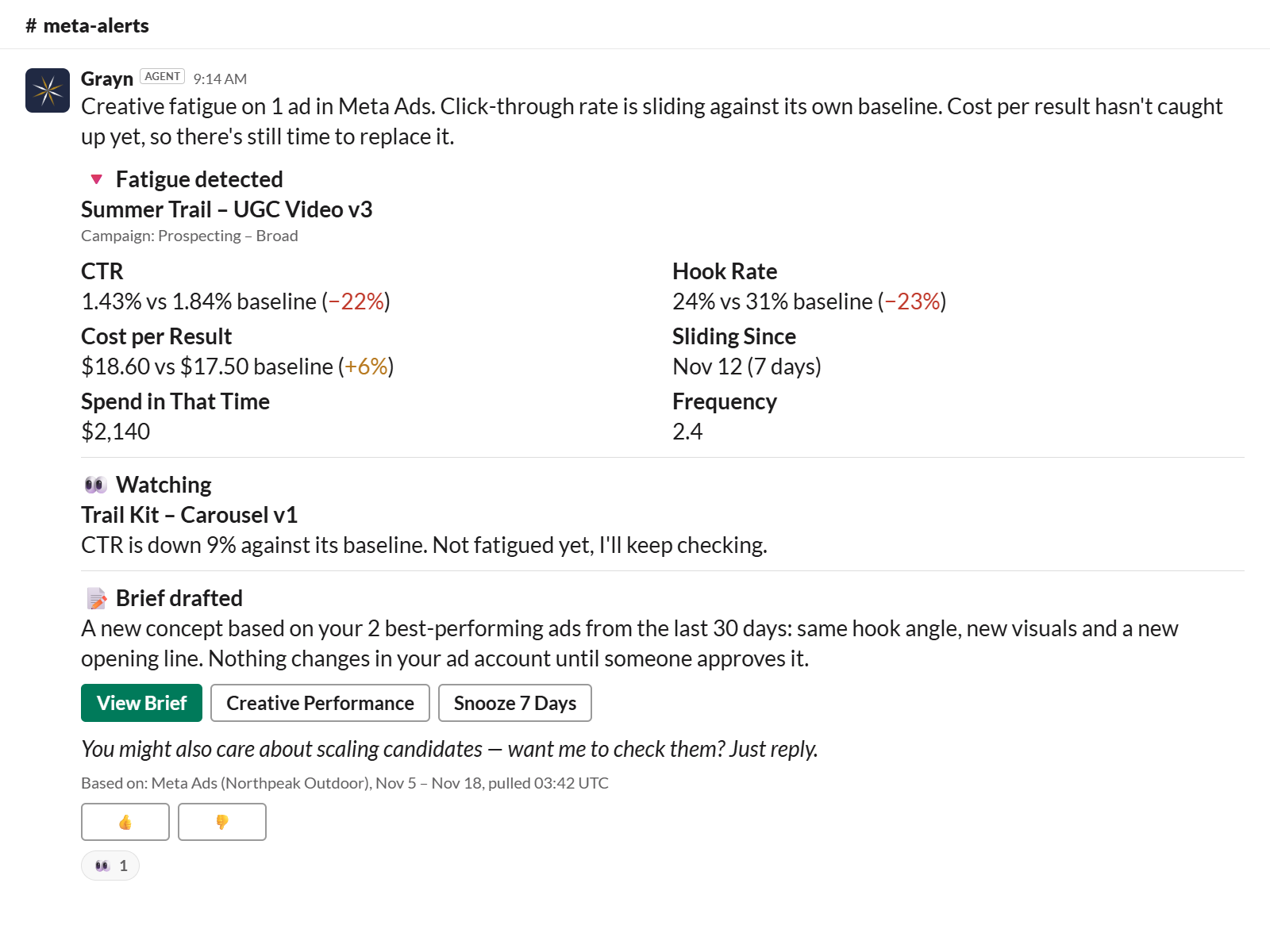
Grayn connects to Meta Ads and checks every ad's click-through rate against its own baseline, all day. When a creative starts to slide, it posts in Slack with which ads, how far they've dropped and since when. It can also draft a creative brief from your best-performing ads, so the replacement starts from what's already working in your account. Nothing changes in your ad accounts until someone on your team approves it.
Start free with $200 in credits. No credit card needed.
FAQ
Does Meta tell you when an ad has creative fatigue? Sometimes. Ads Manager shows "Creative limited" or "Creative fatigue" in the Delivery column, but only for ad sets with one creative, and not for Advantage+ app campaigns, Advantage+ catalog ads or dynamic creative. And it only says "Creative fatigue" once cost per result has doubled.
What frequency means creative fatigue? There's no frequency number that means fatigue. Meta's own analysts warn that frequency is measured at the wrong level and averages away the people seeing an ad most often. Read frequency next to the creative's CTR and cost per result, against its own early weeks.
How long do Meta ads last before they fatigue? It depends on budget and audience size. A bigger budget reaches the same people more often, so a scaled winner tires faster, and a small retargeting audience tires fastest of all. Track each creative against its own baseline rather than refreshing on a fixed calendar.
Should I pause an ad with creative fatigue? Not straight away. Launch a materially different replacement and keep the original running while the new one picks up delivery. Pause it once it stops converting at a cost you'd accept.
What's the difference between creative fatigue and ad fatigue? People use them interchangeably. Strictly, creative fatigue is one image or video wearing out, and new creative fixes it. When every ad in an ad set declines together, that's the audience saturating, and new creative alone won't fix it.