







Meta Ads
Meta Ads vs GA4: Why the Numbers Never Match (and When the Gap Means Tracking Broke)
 Aravind Sundar · · 9 min read
Say Meta Ads Manager shows 120 purchases from last week's campaigns. GA4 shows 74 purchases from Facebook and Instagram for the same week. Same campaigns, same week, two very different answers.
If you've ever searched "facebook ads google analytics discrepancy" right before a budget meeting, you're in good company. It's one of the most common questions performance marketers ask, and most answers stop at "they're just different."
They are different. But that doesn't help you decide what to report, what to optimize, or when to worry. This guide covers:
the 8 reasons Meta Ads (Facebook Ads) and Google Analytics 4 disagree
what changed in Meta's attribution in 2026
which number to trust for which decision
a 5-minute weekly check that tells you when the gap means something actually broke
Why don't Meta Ads and GA4 numbers match?
Meta counts every conversion its ads might have influenced. GA4 counts the conversions it can see on your site, and splits the credit between all your channels. Eight differences explain most of the gap.
# | Reason | What's different | Effect on the gap |
|---|---|---|---|
1 | Attribution window | Meta's default counts conversions within 7 days of a click, 1 day of an engagement, or 1 day of a view. GA4 looks back up to 90 days for key events, but only across visits it recorded | Different time spans, different totals |
2 | Views and engagements | Meta counts people who saw or engaged with an ad and bought later without clicking. GA4 never sees an ad view | Meta higher. Often the biggest cause |
3 | Who gets credit | Meta takes full credit if its ad was in the window, even if the buyer also clicked a Google ad or an email. GA4's default data-driven model shares credit across channels | Meta higher |
4 | Reporting date | Meta reports a conversion on the date of the ad impression or click. GA4 reports it on the day it happened | Daily numbers drift. Weekly and monthly totals are closer |
5 | Modeled conversions | Meta estimates some conversions it can't observe directly, such as from iPhone users who opted out of tracking. GA4 can also model data when consent mode is on | Both include estimates, made differently |
6 | Cross-device | Meta knows a logged-in person across phone and laptop. GA4 sees a phone visit and a laptop purchase as two users, unless you send a user ID | Meta higher |
7 | Lost visits | Ad blockers, cookie banners, browser privacy features and Meta's in-app browser can stop GA4 recording a visit or its source. Missing UTM tags turn Meta traffic into "direct" or "referral" | GA4 lower for Meta |
8 | Setup errors | The pixel and Conversions API both sending a purchase without a shared event ID (Meta counts it twice), different time zones or currencies, or different definitions of a "purchase" | Either way. These are the ones to fix |
Reasons 1 to 7 are built into how the platforms work. You can shrink their effect, but you can't remove it. Reason 8 is a mistake you can fix.
Sources: Jon Loomer on Meta attribution in 2026, Google Analytics Help: attribution settings, Search Engine Land's GA4 attribution guide, scandiweb on reporting dates, Meta for Developers: deduplication.
Grayn checks both sides of this every day. If you'd rather not compare them by hand, you can monitor Meta Ads in Slack and connect GA4 to Grayn in a couple of minutes.
What changed in Meta attribution in 2026
Two changes this year affect any comparison with GA4. If your gap moved in early 2026, part of the change may come from Meta's new rules, not your tracking.
January 12, 2026: Meta removed the 7-day and 28-day view-through windows from its Ads Insights API. In the API, 1-day view is now the only view window, and 28-day click is available for reporting only. Dashboards that pulled 7-day view data through the API now show different numbers. (Dataslayer)
March 2026: Meta narrowed click-through attribution to link clicks only. Conversions after other clicks, like a reaction or a profile visit, moved into a new category called engage-through, which also absorbed what used to be called engaged-view. The default setting is now 7-day click, 1-day engage-through and 1-day view-through. (Jon Loomer)
Meta also offers an incremental attribution setting, which aims to count only conversions its models predict the ad caused. If you switch to it, expect your Meta numbers to change too.
What to do: mark January and March 2026 on any chart that compares Meta with GA4, so nobody mistakes a rule change for a tracking problem.
How big a gap between Meta and GA4 is normal?
There's no single answer, and anyone who gives you one number is guessing about your account. Popular guides put the "normal" gap anywhere from 10 to 20% (Ruler Analytics) to 20 to 50% (Clair Wyant).
Your gap depends on things specific to you:
how much of your Meta spend goes to video and awareness, which drive view-through conversions
how long people take to buy after first seeing an ad
how many of your buyers use iPhones, ad blockers or Meta's in-app browser
how many other channels touch the same buyers
So stop asking "what's normal?" and ask "what's normal for us?" Your normal is your own baseline.
Which number should you trust?
Each one, for a different decision. Meta's totals run high, but it applies the same rules to every ad, so it's fair for comparing ads with each other. GA4 applies one set of rules to every channel. Your backend records the money that actually arrived.
Decision | Use | Why |
|---|---|---|
Which ad, ad set or creative is working | Meta Ads Manager | Same rules for every ad, so the comparison is fair |
How Meta compares with Google Ads, email and organic | GA4 | One set of rules across all channels |
What people do on your site after the click | GA4 | Meta only sees the events you send it |
How much revenue you actually made | Shopify, Stripe or RevenueCat | It's the money that arrived, not an attributed estimate |
Whether to raise or cut total ad spend | Blended numbers: total revenue ÷ total ad spend, and total ad spend ÷ new customers | Each platform claims credit. Blended numbers can't double count |
One thing not to do: don't average Meta and GA4. An average of two numbers measured differently is a third number that measures nothing.
How to tell a normal gap from broken tracking
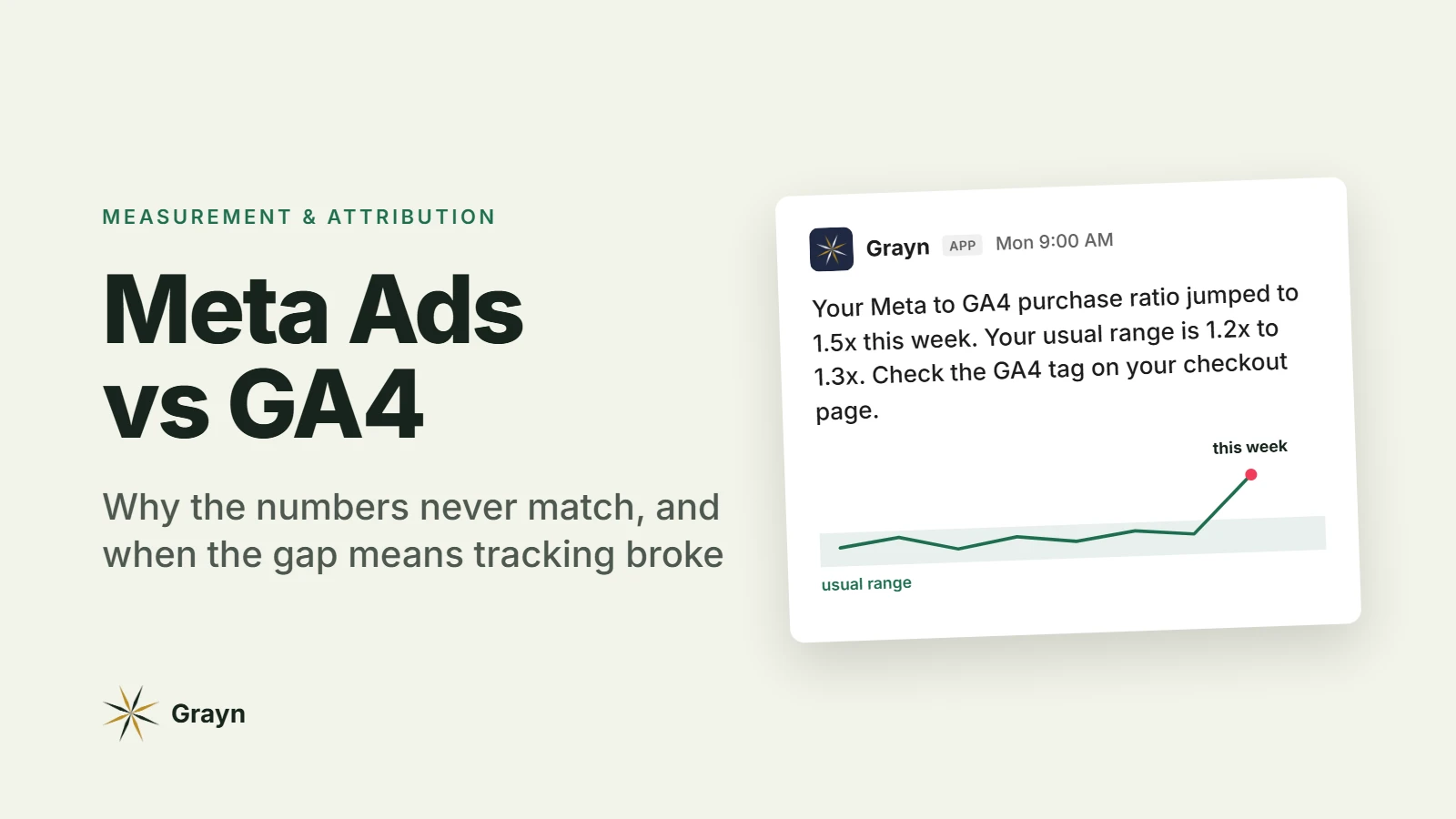
Watch the ratio, not the gap. A steady ratio between Meta and GA4 is fine, even a big one. A sudden change in the ratio means something changed, and usually something broke.
The 5-minute weekly check:
Every Monday, note last week's purchases in Meta Ads Manager. Keep the same attribution setting every week.
In GA4, note last week's purchases from Meta traffic (filter session source to your Meta UTM source, or use the Paid Social channel group).
Divide Meta by GA4. That's your ratio. For example, 120 ÷ 80 = 1.5.
Log it in a sheet. After 4 to 6 weeks, you'll see your normal range.
Investigate any week where the ratio moves more than about 20% away from its 4-week average. That threshold is a starting point. Tighten or loosen it once you know your account.
What a sudden move usually means:
What you see | Likely cause | Check first |
|---|---|---|
Ratio jumps up (Meta far above its usual level vs GA4) | GA4 stopped seeing Meta purchases | GA4 tag on the checkout or thank-you page, a new consent banner, UTMs missing from new ads, a site or checkout change |
Ratio drops (GA4 catches up with or passes Meta) | Meta stopped seeing purchases, or GA4 is double counting | Pixel and Conversions API in Events Manager, event deduplication, purchase events firing twice on page reload |
Both fall together, ratio steady | A real drop in sales, not tracking | Ad delivery, landing page and checkout, your backend sales |
How to shrink the gap
You can't make Meta and GA4 match, but you can remove the part of the gap that comes from mistakes. Work through this list once, then again after any site or tracking change.
Tag every Meta ad with UTMs. For example: utm_source=facebook, utm_medium=paid_social, utm_campaign={{campaign.name}}. Use the exact same spelling every time: GA4 treats "Facebook" and "facebook" as two different sources.
Send purchases through both the Meta pixel and the Conversions API, with the same event ID on both. Meta only removes the duplicate when the event name and event ID match and both arrive within 48 hours. (Meta for Developers)
Match time zone and currency between your Meta ad account and your GA4 property.
Compare like with like. Meta purchases against GA4 purchase events, and Meta landing page views (not link clicks) against GA4 sessions.
Compare weeks or months, never single days. Different reporting dates make daily numbers drift.
Keep one attribution setting in Meta when you compare over time.
Server-side tracking, through the Conversions API or server-side Google Tag Manager, recovers some lost data. It shrinks the avoidable gap. It won't make the numbers match, because the attribution differences stay.
What about app installs?
If you run Meta app install campaigns, GA4 is the wrong thing to compare against.
On iOS, most install attribution runs through Apple's privacy frameworks, SKAdNetwork and its successor AdAttributionKit, which report in aggregate and with a delay. Meta reports installs through its SDK or your mobile measurement partner. GA4, through Firebase, records the first app open, but often can't tie it back to a Meta ad.
For apps, compare differently:
Installs: Meta against your mobile measurement partner
Subscription revenue: RevenueCat or App Store Connect as the source of truth
Web-to-app funnels (ad to landing page to app store): GA4 for the web step, your measurement partner for the install
How Grayn watches the gap for you
The weekly check above works, but only if someone remembers to run it, and a broken tag can cost a full week of bad data before Monday comes around.
Grayn connects to Meta Ads, GA4 and RevenueCat and reads them together. Tracking gaps are one of its built-in checks, alongside pacing, CPA, ROAS and creative fatigue. When something changes, Grayn posts in Slack what changed, why, and a drafted next step. Nothing changes in your accounts until someone on your team approves it.
Start free with $200 in credits. No credit card required.
FAQ
Why don't Facebook ad clicks match GA4 sessions? Meta's link clicks count every click on the ad, including people who leave before the page loads or click twice. Compare Meta's landing page views with GA4 sessions from Meta instead. They should be much closer.
Should I turn off view-through attribution in Meta? Not by default. The attribution setting also tells Meta which conversions to optimize for, so changing it can change delivery. For a cleaner comparison with GA4, use Ads Manager's option to compare attribution settings side by side, which changes the report, not the campaign.
Is Meta over-reporting conversions? Meta reports by its own rules, and they're generous: they count views and don't share credit with other channels. That isn't the same as wrong. Use Meta to compare your ads, and your backend for revenue.
Will server-side tracking make Meta and GA4 match? No. Server-side tracking recovers some lost data and shrinks the avoidable part of the gap. The attribution differences stay, so the numbers will still differ.